 Swing Assist
 Tee Box
Shot guides
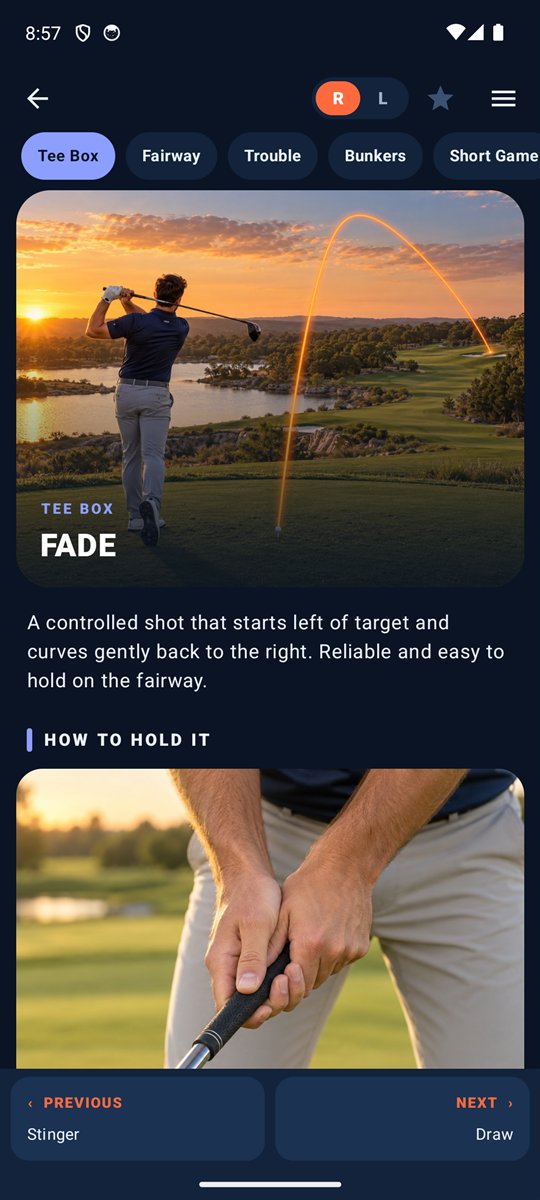
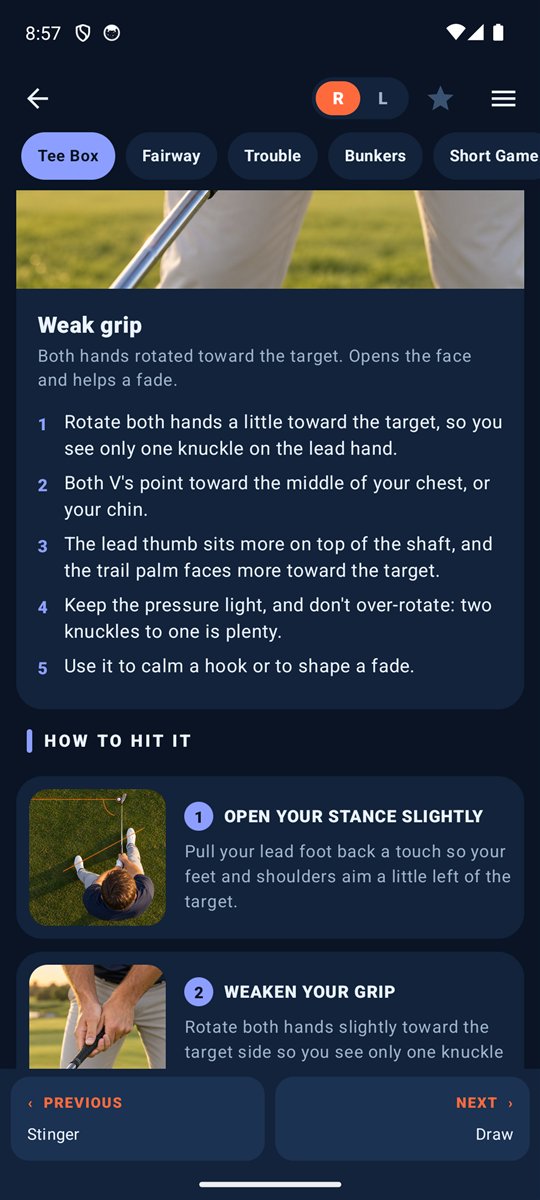
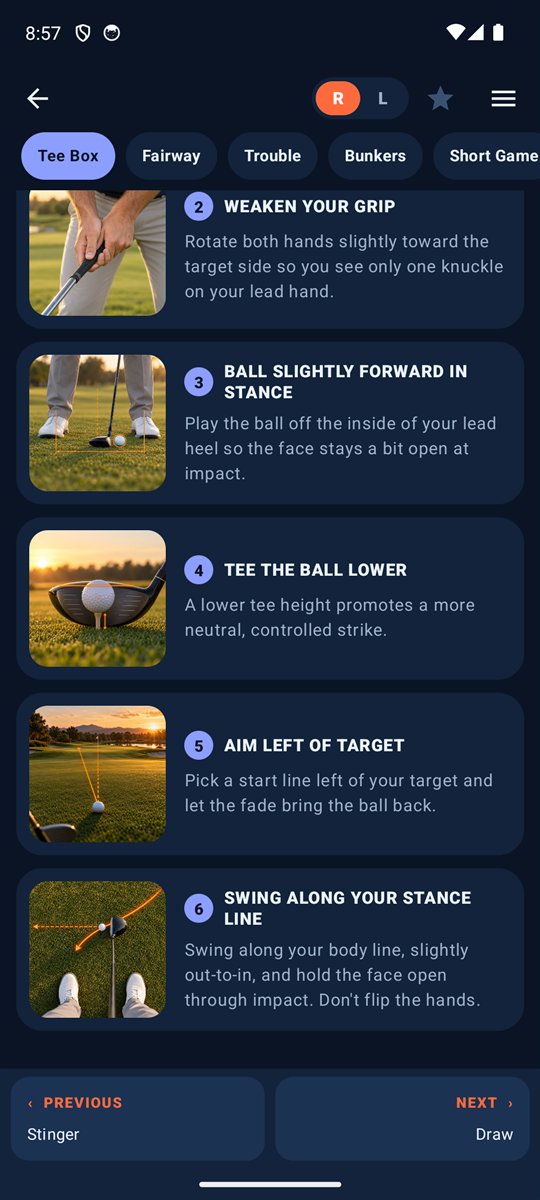
Stinger, fade, draw, hook, slice and more. Each guide traces the correct flight from the ball, with step-by-step tips and a close-up of the setup.
Illustration-guided shot lessons, a caddie that learns your real distances, and a club-fit guide. Get club recommendations customized to your actual conditions and capability.
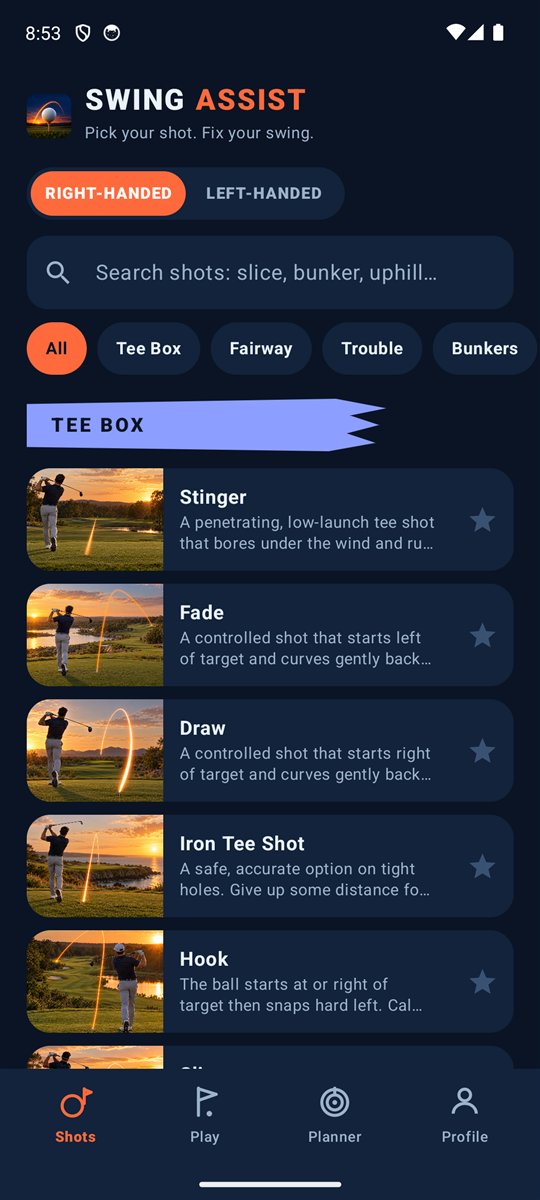
From a tee shot into the wind to a plugged lie in the sand, Swing Assist shows you the setup, the swing and the result, in illustrations you can actually follow.
Tee BoxStinger, fade, draw, hook, slice and more. Each guide traces the correct flight from the ball, with step-by-step tips and a close-up of the setup.
 Bunkers & Trouble
Plugged, fried egg, uphill, downhill, rough, hardpan, over the trees, against a trunk. Know the club, the stance and the swing for each.
 Short Game & Putting
Bump and run, flop, spinning pitch, lag putts and breaking putts, each with the reads and pace to match.
 New
NewNeutral, strong, weak, choked, short game, putting and open-face. See exactly where the club sits in the hands.
 Stance
Every stance illustration flips with one tap, so right- and left-handed golfers see the setup from their own side. Feet width, toe flare and ball position are marked on the illustration for each club.
 Search & Save
Search by "slice" or "uphill," filter by category, and star your favorites so the shot you need is one tap away.
 Play
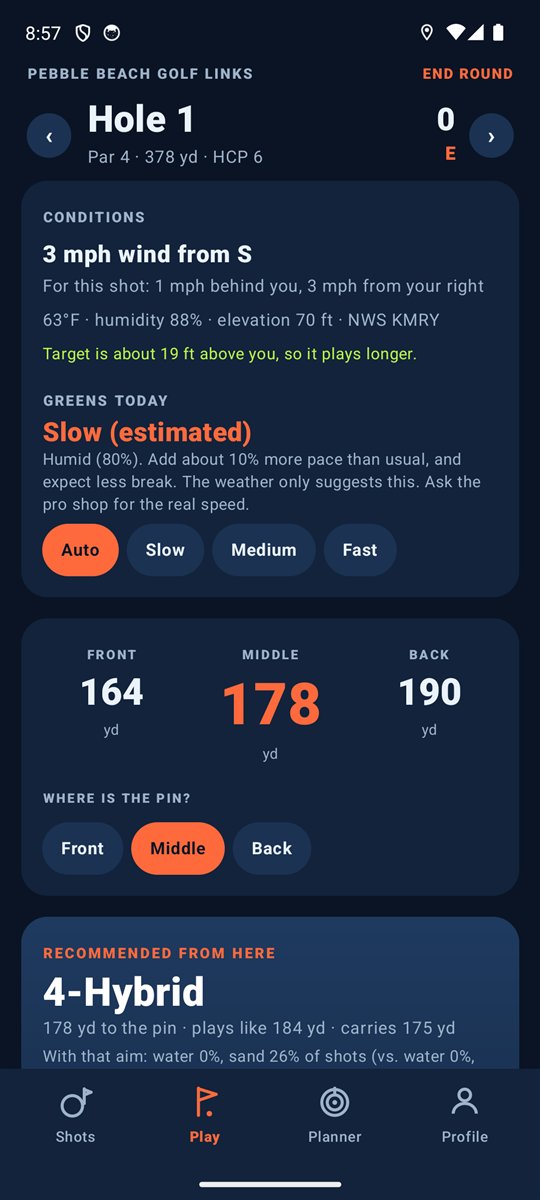
PlayFind your course, keep score hole by hole and look back at past rounds. Smart Caddie adds GPS distances to the green on the course.
 My Bag
Pick the clubs you carry and set how far you hit each one, in yards or meters. Everything else in the app builds on your own numbers.
 Planner
Type in distance, lie, slope, wind and elevation and get a suggested club, swing length and setup, with each adjustment listed. No GPS needed.
 Club Fit
Answer a few questions about your height, hands and game for general guidance on club length, grip size, shaft flex and what to buy first.
 Smart Caddie
On the course, Smart Caddie suggests a club and aim from your GPS spot, your distances, the wind, altitude and the hazards around the green.
 Conditions
See the wind along and across your shot, temperature, humidity and elevation change, plus an estimated green speed. Estimates are labeled as estimates.
Choose right- or left-handed once. Every illustration, arrow, tracer and tip flips to match, including words like "lead foot" and "aim left." You never translate in your head.

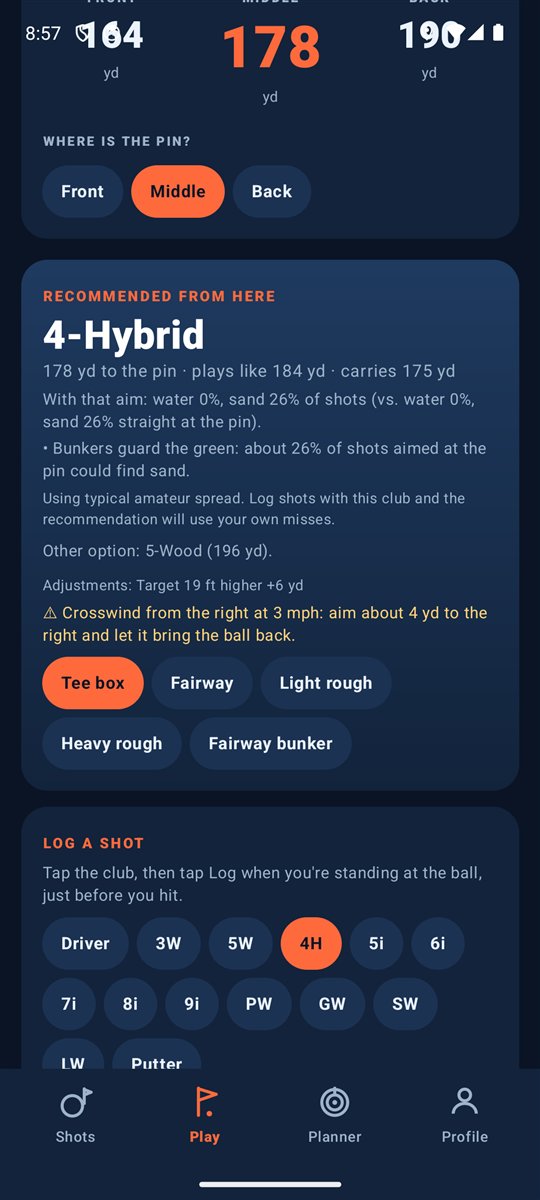
Stand over the ball and Swing Assist reads your GPS position, the wind, the altitude and the hazards around the green, then recommends a club and where to aim.
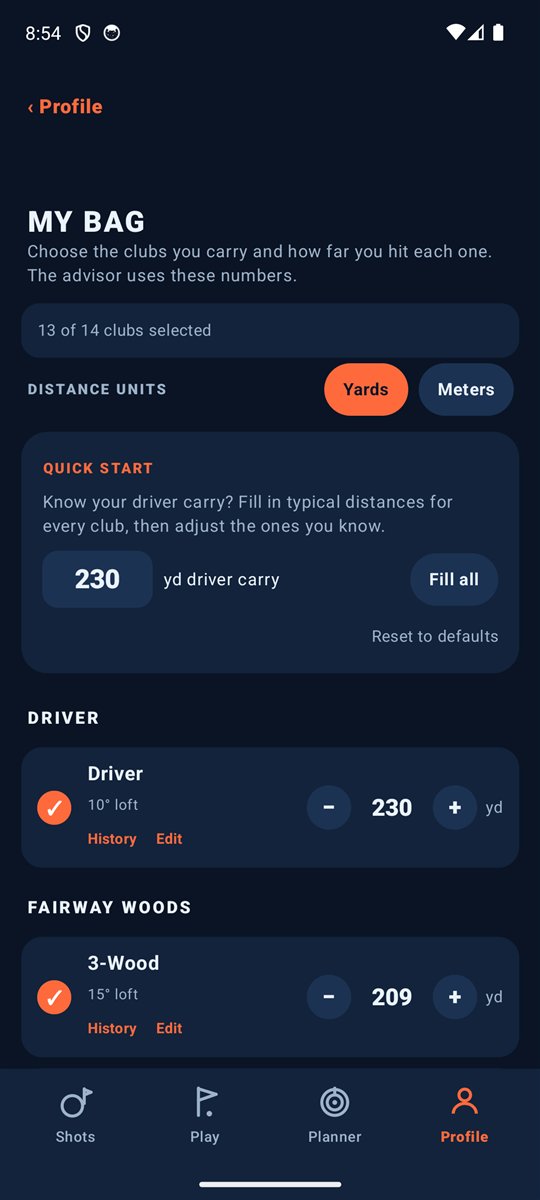
Most apps ask you to guess how far you hit each club. Swing Assist measures it. Log the club for each shot, or add a range session, and your bag updates from what really happened.
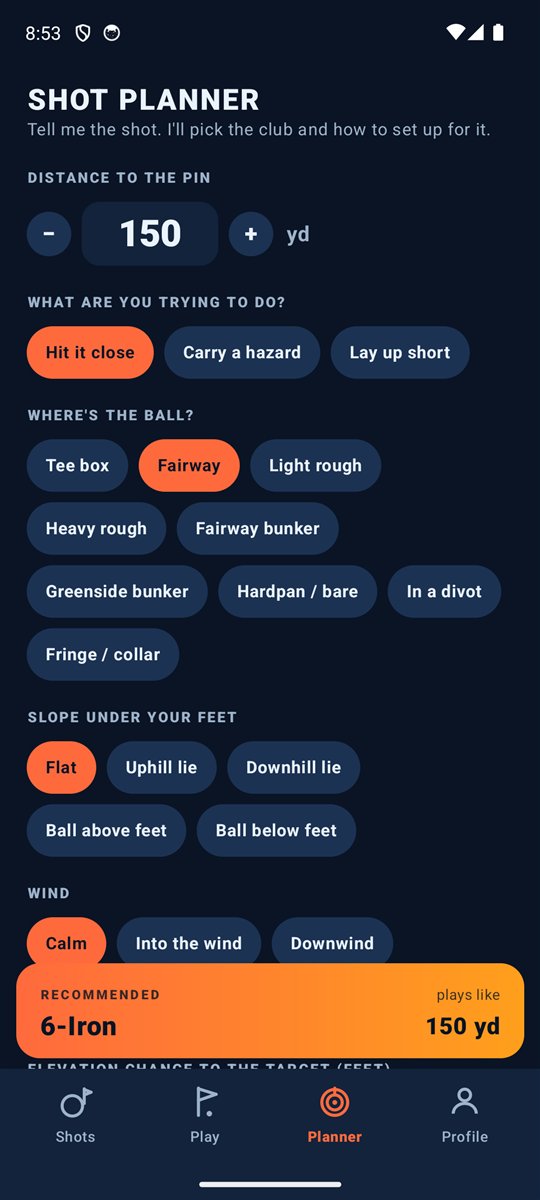
No GPS needed. Type in distance, lie, slope, wind and elevation in feet and get the club, swing length and setup, with every adjustment shown.
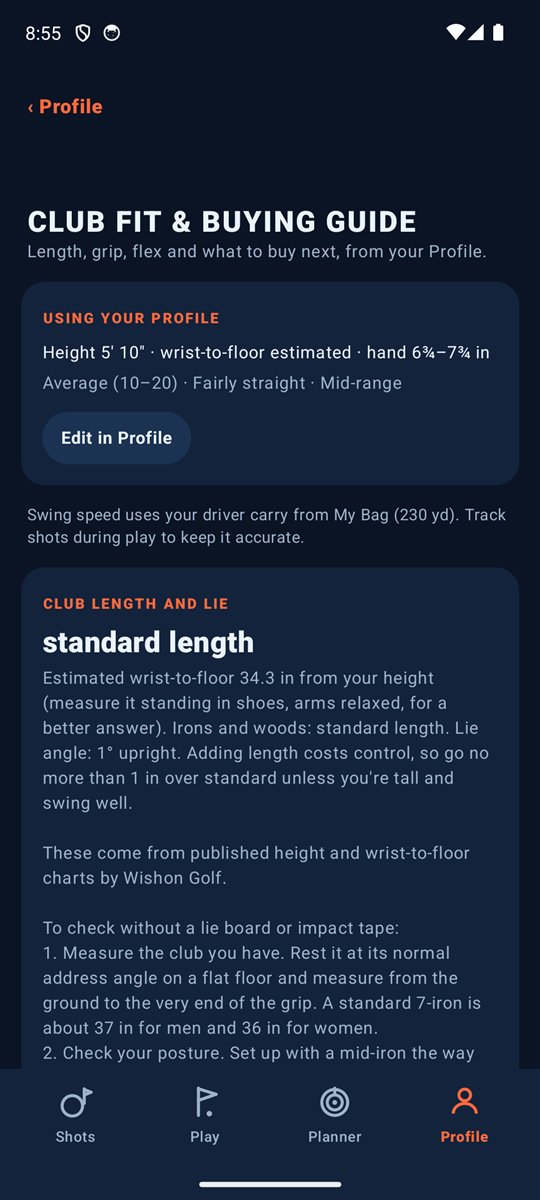
Length, lie, grip size, shaft flex, driver loft, wedge gaps and what to buy first, based on your height, hands, game and your real distances.
No account. No cloud profile. Rounds, shots and distances live on your phone. The only thing we receive is purchase status from Google Play.
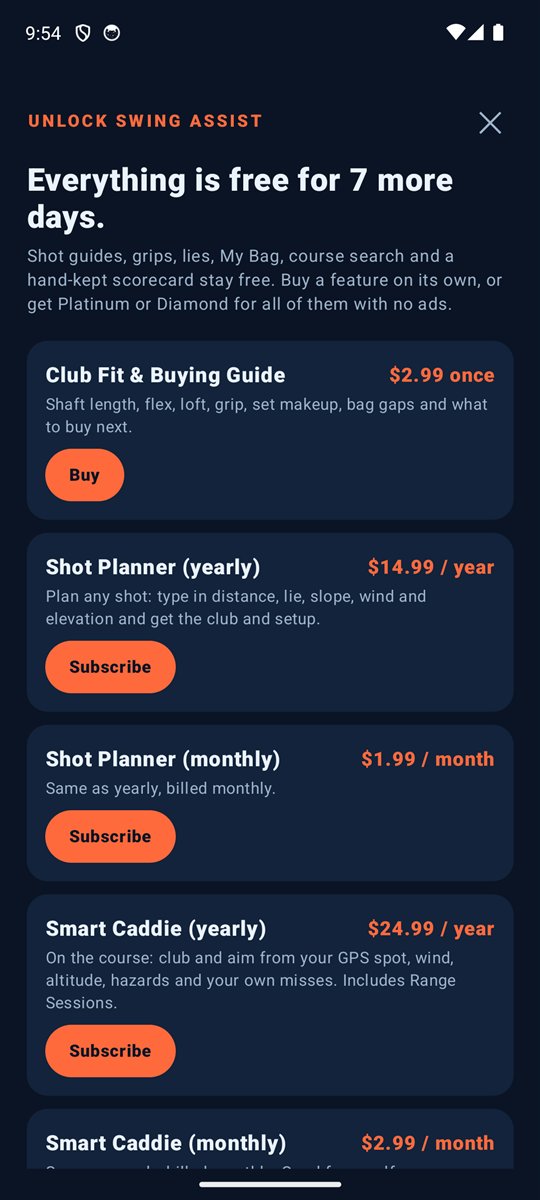
Every feature is free for your first 7 days. After that the shot guides and scorecard stay free, and you buy only the features you want, or unlock everything with Platinum or Diamond.
Swing Assist is almost ready for Android. Sign up to be a beta tester, try it before everyone else and help shape it. It's completely voluntary, and we'll email you when the beta opens.
Signing up means you agree to the beta terms and the privacy policy.


